Category Archives: Wireless Routers

Wireless Router ENGLISH FIRMWARE Download, TENDA ROUTER Firmware download,Wireless Router firmware.

Best Online Pokies For Real Money At House Of Pokies

What Makes The Best Online Pokies For Real Money In Australia? For Australian players, “best online pokies for real money” is less about chasing a single “top” slot and more about choosing a setup that stays enjoyable once real deposits, withdrawals, and bonus rules come into play. That is why many players compare three things… Read More »

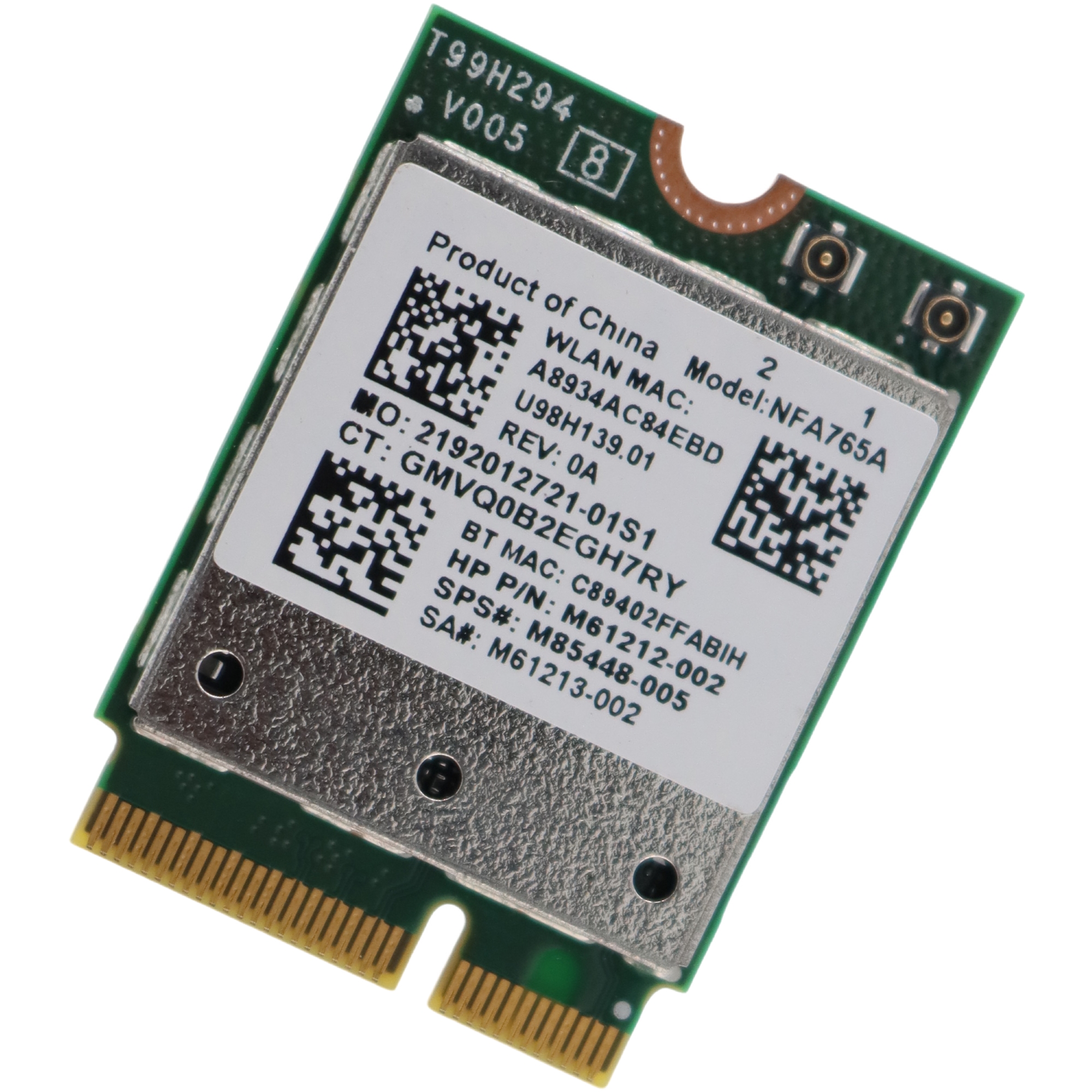
Qualcomm NFA765A QCNFA765 WiFi Adapter Driver download

NFA765 WiFi Card is a 2.4G/5G/6G Wi-Fi 6E M.2 Wireless Adapter, Compatible with Bluetooth 5.3, Support Win 10 & Win 11, NOT works with Windows 8/7, Linux, MacOS. Specifications Model: NFA765A / NFA765 / QCNFA765 FCC ID: J9C-QCNFA765 Connector interface: NGFF M.2 A and E Key M.2 Form Factor System Interface Type: PCIe, USB Antenna… Read More »

NeWiFi3 D2 eeprom Download

The NeWiFi3 D2 is with storages of 512MB RAM and 32MB Flash, which can be further extend using external USB sticks. There are 4 Gigabit Ethernet ports. OPENWRT/Padavan/ASUSWRT/PandoraBox pre-installed, backed by software repository. CPU1: MediaTek MT7621AT (880 MHz, 2 cores)FLA1: 32 MiB (Winbond 25Q256JVFQ)RAM1: 512 MiB (Nanya NT5CC256M16EP-EK)Expansion IFs: USB 3.0USB ports: 1Serial: yes, 4-pin… Read More »

NeWiFi D2 MT7621AT OPENWRT Padavan ASUSWRT PandoraBox Firmware Download

The NeWiFi D2 is with storages of 512MB RAM and 32MB Flash, which can be further extend using external USB sticks. There are 4 Gigabit Ethernet ports. OPENWRT/Padavan/ASUSWRT/PandoraBox pre-installed, backed by software repository. CPU1: MediaTek MT7621AT (880 MHz, 2 cores)FLA1: 32 MiB (Winbond 25Q256JVFQ)RAM1: 512 MiB (Nanya NT5CC256M16EP-EK)Expansion IFs: USB 3.0USB ports: 1Serial: yes, 4-pin… Read More »

How to Configure OpenWRT Wifi Router WISP / AP+Client Mode?

The below are the steps to follow make OpenWrt router WISP Mode Configuration. Before the starting of the configuration your laptop/PC must have same series of IP address in LAN properties. And then start configuration. For configuration open the browser in your laptop and type 192.168.1.1 in the address bar and press enter button. Then… Read More »

How to enable WiFi in openwrt ?

1. Make sure you have a Ethernet LAN cable connected to the WAN port of your Router. Using a second LAN cable, connect it from the Router LAN port to the computer LAN port. Once finished, switch on the power supply for the router and turn on the computer. 2. Open your Internet browser, and… Read More »

How to install Language in OPENWRT?

Buy a OPENWRT ROUTER Since I will be able to change in time after that, and the other instructions don’t really work (outdated) – here is a guide on how you (without Terminal) in the language. The Router has been reset (OpenWrt 15.05). At the very bottom you’ll find the commands, if someone likes to… Read More »

YouHua WR1200JS How to enter Breed/Uboot Web UI?

You can’t flash non Router’s firmware directly using Router’s own web interface, because of the hardware versionb check. But you can use U-boot’s web interface. Here is a simple guidance. 1. Connect your computer to the LAN port using RJ45 Ethernet cable. Leave the other port unconnected. 2. While pressing the [WIFI] button, power on… Read More »