Author Archives: minihere

NeWiFi3 D2 eeprom Download

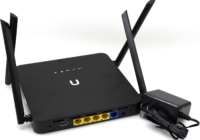
The NeWiFi3 D2 is with storages of 512MB RAM and 32MB Flash, which can be further extend using external USB sticks. There are 4 Gigabit Ethernet ports. OPENWRT/Padavan/ASUSWRT/PandoraBox pre-installed, backed by software repository. CPU1: MediaTek MT7621AT (880 MHz, 2 cores)FLA1: 32 MiB (Winbond 25Q256JVFQ)RAM1: 512 MiB (Nanya NT5CC256M16EP-EK)Expansion IFs: USB 3.0USB ports: 1Serial: yes, 4-pin… Read More »

NeWiFi D2 MT7621AT OPENWRT Padavan ASUSWRT PandoraBox Firmware Download

The NeWiFi D2 is with storages of 512MB RAM and 32MB Flash, which can be further extend using external USB sticks. There are 4 Gigabit Ethernet ports. OPENWRT/Padavan/ASUSWRT/PandoraBox pre-installed, backed by software repository. CPU1: MediaTek MT7621AT (880 MHz, 2 cores)FLA1: 32 MiB (Winbond 25Q256JVFQ)RAM1: 512 MiB (Nanya NT5CC256M16EP-EK)Expansion IFs: USB 3.0USB ports: 1Serial: yes, 4-pin… Read More »

Realtek RTL8812AU USB WiFi Adapter Driver Download for Windows XP/7/8/8.1/10 Kali Linux

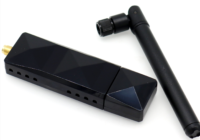
The RTL8812AU USB 3.0 AC1200 Wireless Network Adapter lets you add Wireless-AC connectivity to a desktop or laptop computer through USB 3.0. With network applications like streaming HD video, online conferencing, file transfers and gaming becoming more demanding, this Wireless-AC adapter gives you exceptional speed and range for your office or home wireless network when… Read More »

How to Configure OpenWRT Wifi Router WISP / AP+Client Mode?

The below are the steps to follow make OpenWrt router WISP Mode Configuration. Before the starting of the configuration your laptop/PC must have same series of IP address in LAN properties. And then start configuration. For configuration open the browser in your laptop and type 192.168.1.1 in the address bar and press enter button. Then… Read More »

How to enable WiFi in openwrt ?

1. Make sure you have a Ethernet LAN cable connected to the WAN port of your Router. Using a second LAN cable, connect it from the Router LAN port to the computer LAN port. Once finished, switch on the power supply for the router and turn on the computer. 2. Open your Internet browser, and… Read More »