hello world
hello world
hello world

The mini PC Wall VESA Mount has been specifically designed and tested to mount your OptiPlex Micro Desktop to the back of the E Series monitors or any VESA monitor. 4. Slide the computer into the VESA mount. 5. Tighten the thumbscrew to secure the computer to the VESA mount. 6. Align the screws on… Read More »
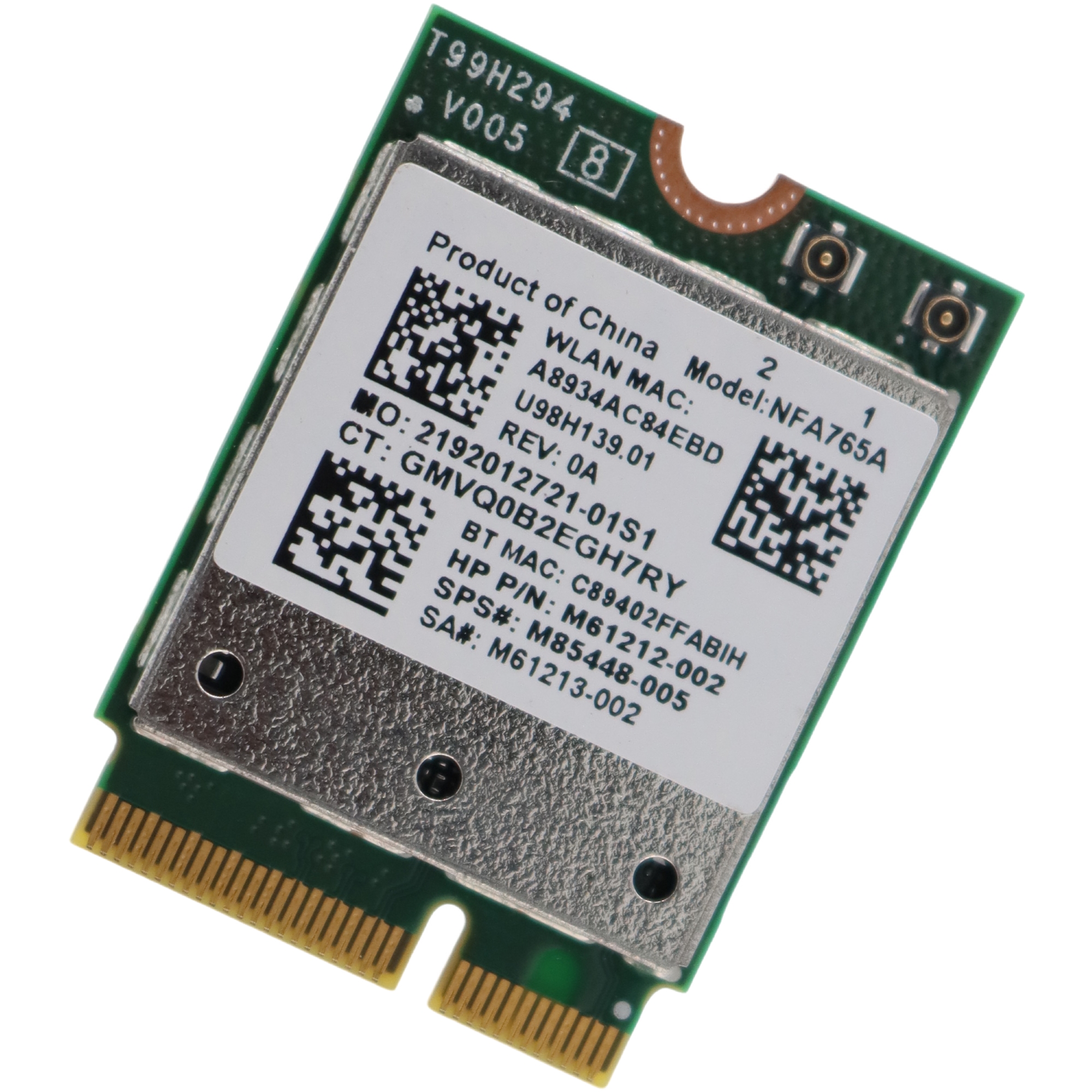
NFA765 WiFi Card is a 2.4G/5G/6G Wi-Fi 6E M.2 Wireless Adapter, Compatible with Bluetooth 5.3, Support Win 10 & Win 11, NOT works with Windows 8/7, Linux, MacOS. Specifications Model: NFA765A / NFA765 / QCNFA765 FCC ID: J9C-QCNFA765 Connector interface: NGFF M.2 A and E Key M.2 Form Factor System Interface Type: PCIe, USB Antenna… Read More »

The NeWiFi3 D2 is with storages of 512MB RAM and 32MB Flash, which can be further extend using external USB sticks. There are 4 Gigabit Ethernet ports. OPENWRT/Padavan/ASUSWRT/PandoraBox pre-installed, backed by software repository. CPU1: MediaTek MT7621AT (880 MHz, 2 cores)FLA1: 32 MiB (Winbond 25Q256JVFQ)RAM1: 512 MiB (Nanya NT5CC256M16EP-EK)Expansion IFs: USB 3.0USB ports: 1Serial: yes, 4-pin… Read More »
The NeWiFi D2 is with storages of 512MB RAM and 32MB Flash, which can be further extend using external USB sticks. There are 4 Gigabit Ethernet ports. OPENWRT/Padavan/ASUSWRT/PandoraBox pre-installed, backed by software repository. CPU1: MediaTek MT7621AT (880 MHz, 2 cores)FLA1: 32 MiB (Winbond 25Q256JVFQ)RAM1: 512 MiB (Nanya NT5CC256M16EP-EK)Expansion IFs: USB 3.0USB ports: 1Serial: yes, 4-pin… Read More »
You may brick your router if you were doing some DIY projects or flashed a wrong firmware. You are not able to access your router but you can re-install the firmware by using Uboot failsafe. Please follow the procedures below to access the Uboot Web UI and re-install the firmware: 1. Connect Connect only one cable to… Read More »
The below are the steps to follow make OpenWrt router WISP Mode Configuration. Before the starting of the configuration your laptop/PC must have same series of IP address in LAN properties. And then start configuration. For configuration open the browser in your laptop and type 192.168.1.1 in the address bar and press enter button. Then… Read More »
1. Make sure you have a Ethernet LAN cable connected to the WAN port of your Router. Using a second LAN cable, connect it from the Router LAN port to the computer LAN port. Once finished, switch on the power supply for the router and turn on the computer. 2. Open your Internet browser, and… Read More »
Buy a OPENWRT ROUTER Since I will be able to change in time after that, and the other instructions don’t really work (outdated) – here is a guide on how you (without Terminal) in the language. The Router has been reset (OpenWrt 15.05). At the very bottom you’ll find the commands, if someone likes to… Read More »
You can’t flash non Router’s firmware directly using Router’s own web interface, because of the hardware versionb check. But you can use U-boot’s web interface. Here is a simple guidance. 1. Connect your computer to the LAN port using RJ45 Ethernet cable. Leave the other port unconnected. 2. While pressing the [WIFI] button, power on… Read More »